CC-MIRROR: Isolated Claude Code Instances for Multiple Providers
Source Credit: This article expands on insights from Community member. All credit to them for the original observations shared in this GitHub repository.
Why CC-MIRROR Matters
If you're juggling multiple AI providers for Claude Code, you know the pain: different API keys, conflicting configurations, and a mess of sessions. CC-MIRROR solves this by creating isolated instances for each provider—Z.ai, MiniMax, OpenRouter, and more—each with its own config, sessions, and themes. No more cross-contamination. No more "works on my machine" headaches.
This tool is a game-changer for:
- Developers using multiple AI models (GLM-4.7, MiniMax-M2.1, etc.)
- Teams needing separate environments for different projects
- Anyone tired of manually switching between provider setups
What is CC-MIRROR?
CC-MIRROR creates isolated Claude Code instances that connect to different AI providers. Each variant has its own config, sessions, themes, and API credentials—completely separate from each other.
┌────────────────────────────────────────────────────────────────────────────────┐
│                                                                                │
│   One tool. Multiple Claude Code instances. Complete isolation.                │
│                                                                                │
│   ┌──────────┐   ┌──────────┐   ┌──────────┐   ┌──────────┐   ┌──────────┐   │
│   │   zai    │   │ minimax  │   │openrouter│   │ ccrouter │   │ mclaude  │   │
│   │  GLM-4.7 │   │  M2.1    │   │ 100+ LLMs│   │  Local   │   │  Claude  │   │
│   └────┬─────┘   └────┬─────┘   └────┬─────┘   └────┬─────┘   └────┬─────┘   │
│        │              │              │              │              │          │
│        └──────────────┴──────────────┴──────────────┴──────────────┘          │
│                                      │                                         │
│                           ┌──────────▼──────────┐                             │
│                           │    Claude Code      │                             │
│                           │    (isolated)       │                             │
│                           └─────────────────────┘                             │
│                                                                                │
└────────────────────────────────────────────────────────────────────────────────┘
Quick Start
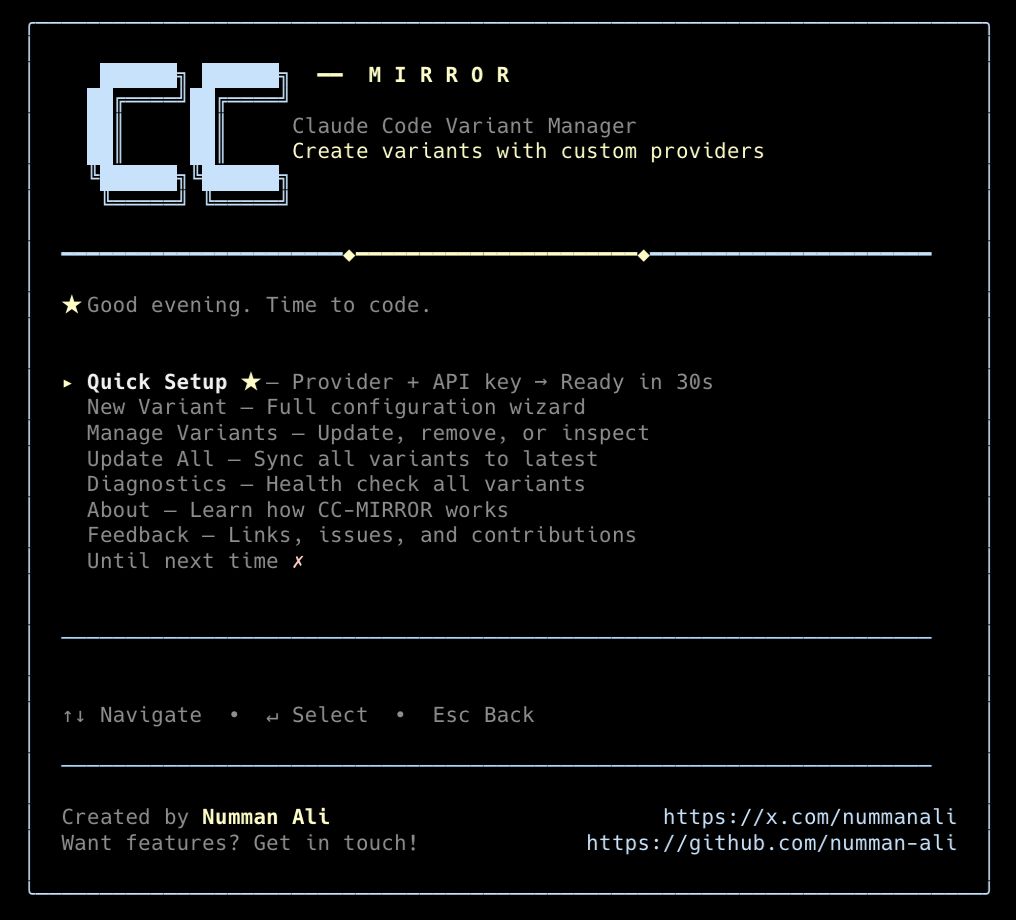
Interactive TUI
Run the interactive TUI to set up your variants:
npx cc-mirror
Quick Setup from CLI
For a fast setup with defaults:
npx cc-mirror quick --provider zai --api-key "$Z_AI_API_KEY"
Supported Providers
| Provider | Models | Auth | Best For |
|---|---|---|---|
| Z.ai | GLM-4.7, GLM-4.5-Air | API Key | Heavy coding with GLM reasoning |
| MiniMax | MiniMax-M2.1 | API Key | Unified model experience |
| OpenRouter | 100+ models | Auth Token | Model flexibility, pay-per-use |
| CCRouter | Ollama, DeepSeek, etc. | Optional | Local-first development |
| Mirror | Claude (native) | OAuth/Key | Pure Claude with team mode |
Setup Examples
Z.ai (GLM Coding Plan)
npx cc-mirror quick --provider zai --api-key "$Z_AI_API_KEY"
MiniMax (MiniMax-M2.1)
npx cc-mirror quick --provider minimax --api-key "$MINIMAX_API_KEY"
OpenRouter (100+ models)
npx cc-mirror quick --provider openrouter --api-key "$OPENROUTER_API_KEY" \
  --model-sonnet "anthropic/claude-3.5-sonnet"
Claude Code Router (local LLMs)
npx cc-mirror quick --provider ccrouter
Mirror Claude (pure Claude with team mode)
npx cc-mirror quick --provider mirror --name mclaude
How It Works
Each variant lives in its own directory with complete isolation:
┌─────────────────────────────────────────────────────────────────────────┐
│  ~/.cc-mirror/                                                          │
│                                                                         │
│  ├── zai/                          ← Your Z.ai variant                  │
│  │   ├── npm/                      Claude Code installation             │
│  │   ├── config/                   API keys, sessions, MCP servers      │
│  │   ├── tweakcc/                  Theme & prompt customization         │
│  │   └── variant.json              Metadata                             │
│  │                                                                      │
│  ├── minimax/                      ← Your MiniMax variant               │
│  │   └── ...                                                            │
│  │                                                                      │
│  └── mclaude/                      ← Your Mirror Claude variant         │
│      └── ...                                                            │
│                                                                         │
│  Wrappers: ~/.local/bin/zai, ~/.local/bin/minimax, ~/.local/bin/mclaude │
│                                                                         │
└─────────────────────────────────────────────────────────────────────────┘
Run any variant directly from your terminal:
zai          # Launch Z.ai variant
minimax      # Launch MiniMax variant
mclaude      # Launch Mirror Claude variant
Features
| Feature | Description |
|---|---|
| 🔌 Multiple Providers | Z.ai, MiniMax, OpenRouter, CCRouter, Mirror, or custom endpoints |
| 📁 Complete Isolation | Each variant has its own config, sessions, and credentials |
| 🎨 Brand Themes | Custom color schemes per provider via tweakcc |
| 📝 Prompt Packs | Enhanced system prompts for Z.ai and MiniMax |
| 🤖 Team Mode | Multi-agent collaboration with shared task management |
| 🔄 One-Command Updates | Update all variants when Claude Code releases |
Commands
# Create & manage variants
cc-mirror create              # Full configuration wizard
cc-mirror quick [options]     # Fast setup with defaults
cc-mirror list                # List all variants
cc-mirror update [name]       # Update one or all variants
cc-mirror remove <name>       # Delete a variant
cc-mirror doctor              # Health check all variants

# Launch your variant
zai                           # Run Z.ai variant
minimax                       # Run MiniMax variant
mclaude                       # Run Mirror Claude variant
CLI Options
--provider <name>        zai | minimax | openrouter | ccrouter | mirror | custom
--name <name>            Variant name (becomes the CLI command)
--api-key <key>          Provider API key
--base-url <url>         Custom API endpoint
--model-sonnet <name>    Map to sonnet model (OpenRouter)
--model-opus <name>      Map to opus model (OpenRouter)
--model-haiku <name>     Map to haiku model (OpenRouter)
--brand <preset>         Theme: auto | zai | minimax | openrouter | ccrouter | mirror
--enable-team-mode       Enable team mode (TaskCreate, TaskGet, TaskUpdate, TaskList)
--no-tweak               Skip tweakcc theme
--no-prompt-pack         Skip prompt pack
Brand Themes
Each provider includes a custom color theme:
| Brand | Style |
|---|---|
| zai | Dark carbon with gold accents |
| minimax | Coral/red/orange spectrum |
| openrouter | Teal/cyan gradient |
| ccrouter | Sky blue accents |
| mirror | Silver/chrome with electric blue |
Team Mode
Enable multi-agent collaboration with shared task management:
# Enable on any variant
cc-mirror create --provider zai --name zai-team --enable-team-mode

# Mirror Claude has team mode by default
cc-mirror quick --provider mirror --name mclaude
Team mode enables: TaskCreate, TaskGet, TaskUpdate, TaskList tools plus an orchestrator skill that teaches Claude effective multi-agent coordination patterns.
Mirror Claude
A pure Claude Code variant with enhanced features:
- No proxy — Connects directly to Anthropic's API
- Team mode — Enabled by default
- Isolated config — Experiment without affecting your main setup
- Custom theme — Silver/chrome aesthetic
npx cc-mirror quick --provider mirror --name mclaude
mclaude  # Authenticate via OAuth or API key

Raja CRN
Tech enthusiast and developer.